

Latest Version
Apache Software Foundation
General
Linux
Free
org.apache.directory.studio
Report a Problem
More About Apache Directory Studio
Streamlining LDAP Management on Linux
Picture this: you are tasked with managing a complex directory services infrastructure, and you need to quickly modify object classes, verify access control policies, or edit LDIF files without losing your sanity. For system administrators and DevOps engineers working in enterprise environments, having a reliable directory management client is essential. This is where Apache Directory Studio LDAP administration capabilities become invaluable, offering a robust Eclipse RCP-based environment designed to simplify directory engineering on Linux.
Developed by the trusted Apache Software Foundation, Apache Directory Studio serves as an all-in-one tooling platform. While it integrates seamlessly with ApacheDS, its versatile architecture makes it highly compatible with almost any modern LDAP server, providing a cohesive workspace for database administrators who require precision and stability.
Core Features of the Apache Directory Studio LDAP Administration Suite
This platform is not just a simple directory viewer; it is a comprehensive suite of specialized tools tailored for deep directory manipulation. Key components include:
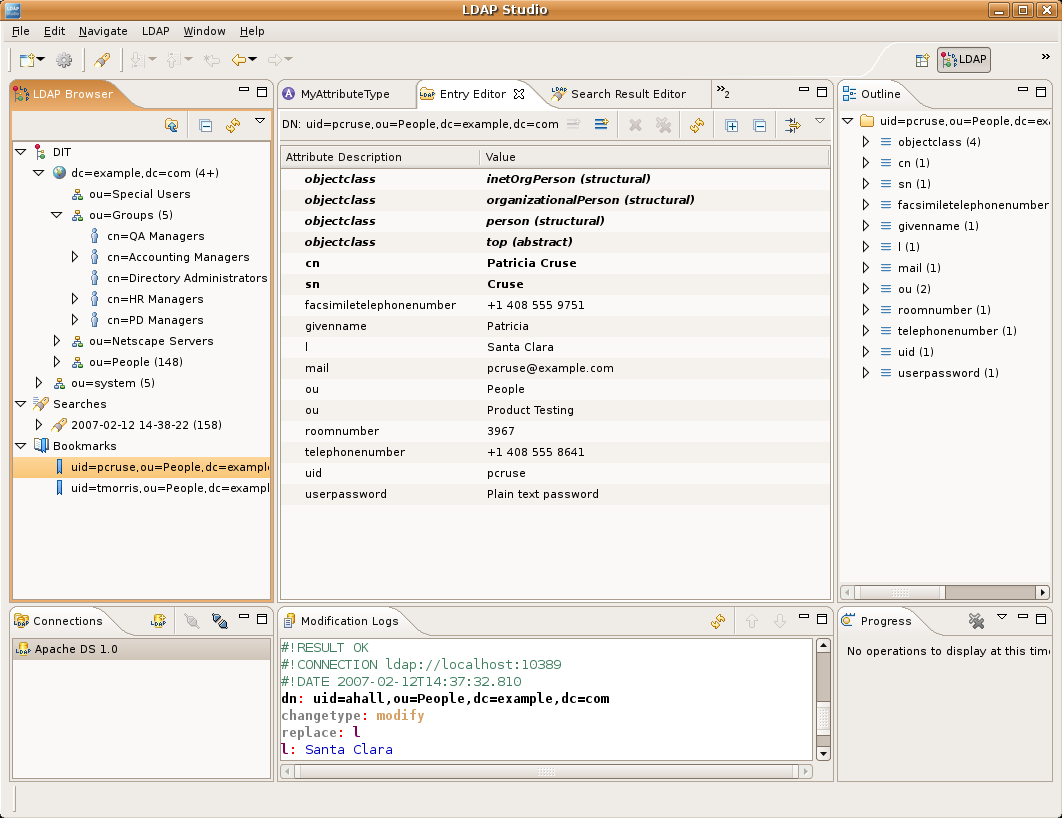
- Multi-Server LDAP Browser: Navigate, read, and modify your directory tree. Easily create, edit, or delete entries on almost any LDAP server.
- Advanced LDIF Editor: Edit LDIF files with the help of syntax highlighting and intelligent content assistance.
- Schema Editor: Modify schema files in the OpenLDAP format, allowing you to easily adjust attribute types and object classes for ApacheDS and OpenLDAP.
- Embedded ApacheDS Instance: Run the latest LDAPv3-certified ApacheDS server locally in under ten seconds for testing and development.
- Server Configuration Editor: Safely modify server configuration files like 'server.xml' and 'config.ldif' through a structured graphical interface.
- ACI Editor: Visually or textually define Access Control Information (ACI) item specifications to secure your directory entries.
Who Is This Directory Tooling Platform For?
If you are a Linux system administrator, backend developer, or security analyst who regularly interacts with directory services, this tool is built for you. Instead of wrestling with command-line utilities or basic web-based viewers, the Apache Directory Studio LDAP administration client provides an organized, plugin-based workspace that adapts to your workflow. Because it is built on the Eclipse Rich Client Platform (RCP), it can be easily upgraded with additional OSGi plugins to expand its functionality as your enterprise needs evolve.
Final Verdict: A Reliable Enterprise Workhorse
Apache Directory Studio remains a top-tier choice for directory management on Linux. Its combination of schema editing, LDIF management, and direct server configuration makes it an indispensable asset for enterprise IT professionals. To explore this powerful utility further and integrate it into your administrative toolkit, head over to the official Flathub store page to get started.
Rate the App
User Reviews









Popular Apps










Editor's Choice