Latest Version
Kowloon
Lifestyle
Windows
5.99
9n3fz6xjcs51
Report a Problem
More About Note-taking App
A Versatile Digital Canvas for Your Ideas
The Note-taking App digital handwriting tool offers a highly adaptable environment designed for Windows users who want to transition from traditional paper to a dynamic digital medium. Developed by Kowloon, this lifestyle application serves as a comprehensive hub for sketching, writing, and organizing information. Whether you are a student mapping out complex lecture notes or a professional drafting project workflows, this application provides the precise tools necessary to capture your thoughts in real time.
Who Benefits Most from This Digital Notebook?
This software is engineered to accommodate diverse user profiles, making it far more than a basic text editor:
- Students & Educators: Perfect for classroom note-taking, lesson planning, and structuring study guides.
- Creatives & Designers: Ideal for sketching initial ideas, creating mind maps, and designing complex workflows.
- Professionals: Seamlessly record meeting minutes, manage project plans, and track daily schedules.
Key Features of the Note-taking App Digital Handwriting Tool
The platform stands out due to its rich feature set that balances creative freedom with structured organization:
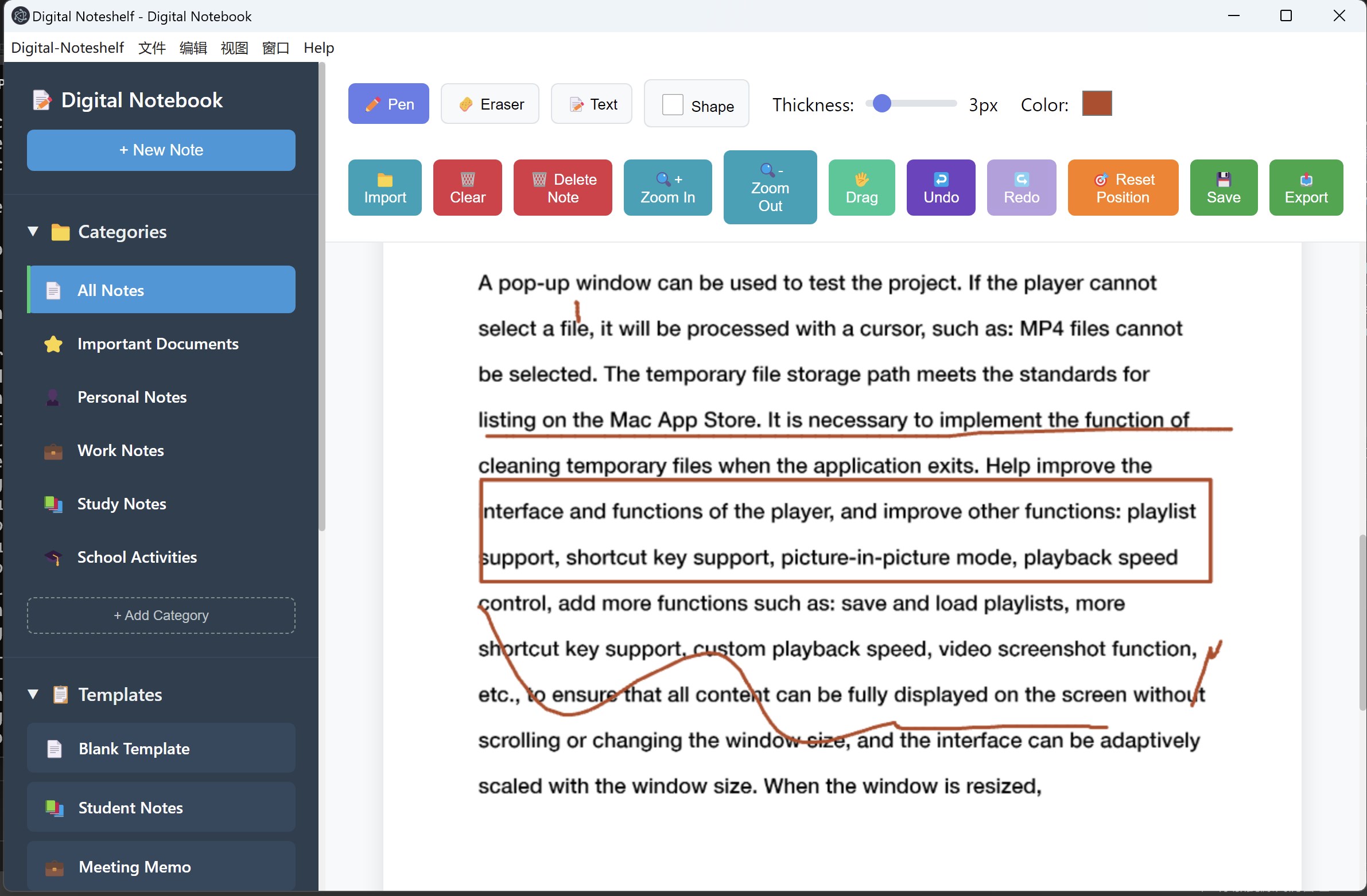
- Comprehensive Drawing Suite: Features an adjustable freehand pen (1-20px), precise eraser, customizable shapes (rectangles, circles, stars, and arrows), and a rich color picker supporting custom shades.
- Robust Media Import System: Easily import images (PNG, JPG, GIF), documents (TXT, PDF), audio files (MP3, WAV, FLAC), and video files (MP4, WebM) with smart previews and adaptive canvas zooming.
- Structured Note Management: Organize your work using a category system (work, study, personal) and leverage pre-designed templates like to-do lists, meeting memos, and health trackers.
- Advanced Canvas Controls: Work with ease using drag mode, zoom controls, undo/redo history, and a real-time coordinate display.
Smart File Operations and Exporting
With local auto-save functionality, your work is continuously protected against unexpected interruptions. Users can export their completed canvases as high-quality PNG images, making it easy to share notes with colleagues or classmates. When you need a fresh start, the one-click clear function resets your canvas instantly.
Explore the App Today
If you are looking to elevate your productivity on Windows, the Note-taking App digital handwriting tool offers an excellent balance of flexibility and structure. To purchase or learn more about this application, visit its official listing on the Microsoft Store.
Rate the App
User Reviews







Popular Apps









Editor's Choice